
Managing financial records has become increasingly complex as organizations rely on digital documentation for accounting, compliance, and analysis. The pdf bank statement represents both a standard format for financial institutions and a significant challenge for businesses seeking to extract and utilize transaction data efficiently. Understanding how to work with these documents, the technologies that power their conversion, and the security considerations involved has become essential for modern financial management.
Understanding PDF Bank Documents and Their Challenges
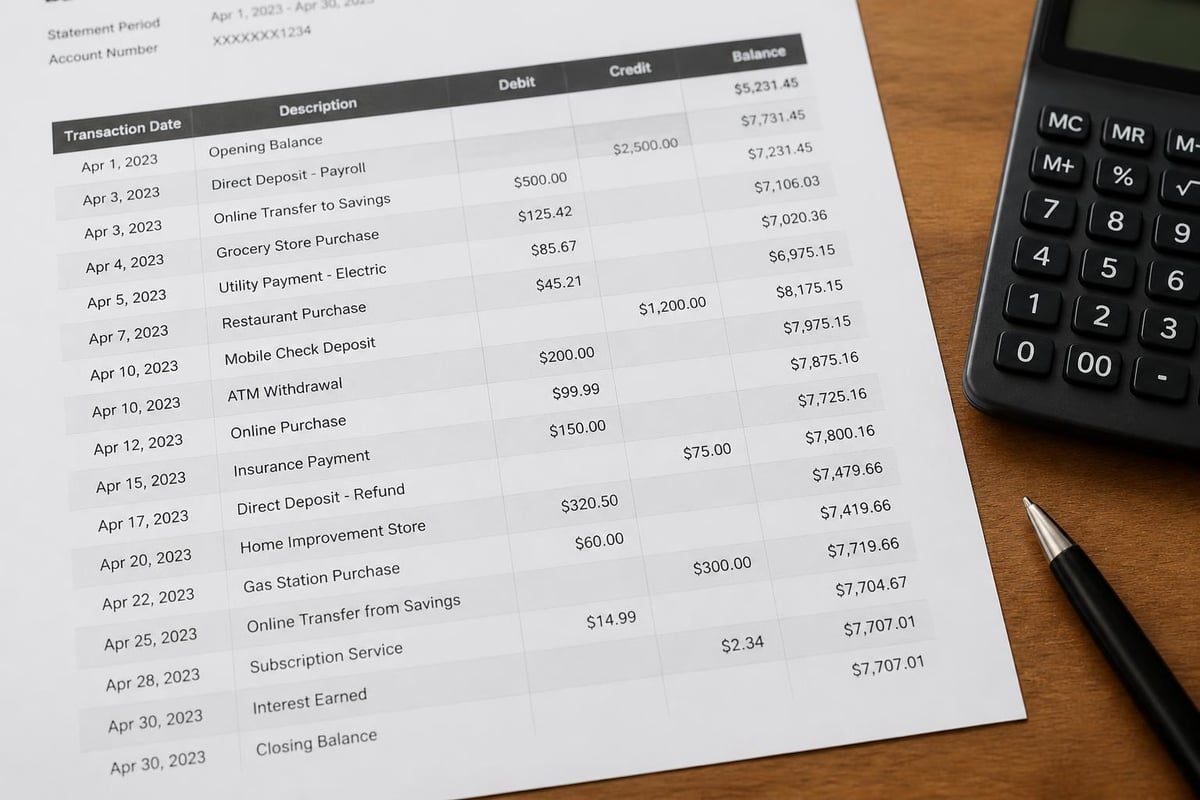
Financial institutions have standardized on PDF formats for statement delivery due to their universal compatibility and visual consistency. A pdf bank statement preserves formatting across different devices and operating systems, ensuring that account holders see identical information regardless of how they access their documents.
However, this consistency comes with significant limitations for data processing. PDF files are designed for human readability, not machine manipulation. The format stores text, images, and layout information in ways that make visual presentation perfect but data extraction challenging.
Why Standard PDF Tools Fall Short
Generic PDF readers and basic optical character recognition (OCR) tools struggle with financial statements for several specific reasons:
- Complex table structures that span multiple pages with varying column configurations
- Mixed fonts and sizes used for headers, transaction details, and account summaries
- Embedded formatting like negative numbers in parentheses or currency symbols
- Inconsistent layouts across different banks, account types, and statement periods
- Security features including password protection and restricted copying permissions
The challenges in converting PDF bank statements require specialized approaches that understand financial document structures. Traditional OCR technology may recognize individual characters but fails to maintain the relational context between dates, descriptions, amounts, and running balances.
Modern Technologies for PDF Bank Statement Processing
Artificial intelligence and machine learning have revolutionized how businesses handle pdf bank documents. These technologies move beyond simple character recognition to understand document structure, context, and financial data relationships.
Deep Learning Approaches to Table Extraction
Recent advances in deep learning have produced sophisticated tools for extracting structured data from financial PDFs. Research into table detection and structure recognition has yielded models specifically designed to handle the unique challenges of bank statements, including varied layouts and templates across different financial institutions.
These systems employ convolutional neural networks to identify table boundaries, column headers, and row separations even when visual cues are subtle or inconsistent. The technology recognizes patterns in how banks format transaction data, learning from thousands of statement variations to accurately parse new documents.
| Technology Approach | Accuracy Range | Processing Speed | Best Use Case |
|---|---|---|---|
| Basic OCR | 60-75% | Fast | Simple, consistent layouts |
| Template Matching | 75-85% | Medium | Known bank formats |
| AI Deep Learning | 95-99% | Medium-Fast | Multiple banks, varying formats |
| Hybrid Systems | 97-99% | Medium | Enterprise-scale processing |
Integration of Multiple Recognition Models
The most effective pdf bank statement converters utilize unified toolkits that integrate multiple models for comprehensive extraction. This approach combines specialized algorithms for different aspects of the conversion process:
Layout Analysis Models identify the overall document structure, distinguishing between header information, transaction tables, summary sections, and footer content. These models understand that a pdf bank statement typically follows certain organizational patterns even when specific formats vary.
Text Recognition Engines extract character data with high precision, handling various fonts, sizes, and styling options. Advanced systems can differentiate between similar-looking characters and numbers, crucial for maintaining accuracy in financial amounts.
Relationship Mapping Algorithms connect related data elements across rows and columns, ensuring that each transaction's date, description, and amount remain associated correctly. This contextual understanding prevents the common error of misaligning data during extraction.
Organizations focused on document management and digital workplace solutions increasingly recommend AI-powered conversion tools as part of comprehensive digitization strategies. The ability to automatically process financial documents fits within broader initiatives to eliminate manual data entry and streamline business processes.
Data Security and Privacy Considerations
Processing pdf bank statements requires exceptional attention to security given the sensitive nature of financial information. Organizations handling these documents must implement multiple layers of protection to safeguard customer data and maintain regulatory compliance.
Encryption and Secure Processing Environments
Modern conversion platforms implement bank-level encryption for data in transit and at rest. When a pdf bank statement is uploaded for processing, secure socket layer (SSL) encryption protects the transmission. During processing, data remains encrypted in memory, and results are delivered through secure channels.
Local Processing Options have gained popularity for organizations with strict security requirements. Some tools process bank statements entirely in the user's browser, ensuring financial data never leaves the local device. This approach eliminates cloud storage concerns while still providing automated extraction capabilities.
For businesses requiring secure cloud infrastructure with strict privacy standards, choosing providers that emphasize data protection and comply with regional regulations becomes critical. European-based hosting, for instance, offers specific advantages for organizations subject to GDPR requirements.

Compliance and Audit Requirements
Financial services organizations face stringent regulatory requirements around data handling. Converting pdf bank statements from their native format into spreadsheets or databases must maintain audit trails showing:
- Who accessed the document and when
- What transformations were applied to the data
- How long the original and converted files were retained
- Which systems processed the sensitive information
The Bank Statement Boss security infrastructure exemplifies industry best practices by implementing comprehensive logging, regular security audits, and compliance with financial data handling standards. Organizations evaluating conversion tools should verify similar security credentials before processing sensitive financial documents.
Practical Applications and Workflow Integration
Converting pdf bank statements into structured data unlocks numerous business applications across different industries and use cases. The extracted information becomes the foundation for automated workflows that reduce manual effort and improve accuracy.
Accounting and Bookkeeping Automation
Professional accountants and bookkeepers spend significant time manually entering transaction data from pdf bank statements into accounting software. Automated conversion eliminates this repetitive task:
- Import pdf bank statements from email, download folders, or document management systems
- Extract transaction data with AI-powered recognition of dates, descriptions, and amounts
- Map to chart of accounts using rules and machine learning categorization
- Export in compatible formats for QuickBooks, Xero, Sage, or other platforms
- Reconcile automatically by matching extracted data against accounting records
Organizations can convert PDF bank statements to usable spreadsheets formatted specifically for their accounting platform, reducing data entry time by 90% or more. This efficiency gain allows financial professionals to focus on analysis and advisory services rather than administrative tasks.
Understanding different bank statement formats helps businesses configure conversion tools to handle their specific banking relationships. Each financial institution uses slightly different layouts, and recognizing these variations ensures accurate extraction across all accounts.
Credit Card Statement Processing
Credit card statements present unique challenges compared to standard checking account documents. The pdf bank statement from a credit card provider typically includes:
- Transaction dates and posting dates (often different)
- Merchant names with location information
- Category codes for different purchase types
- Interest charges and fees in separate sections
- Payment due information and minimum amounts
Converting bank statements for credit cards requires recognition of these additional data elements and proper categorization for expense tracking. Businesses processing employee expense reports or managing corporate card programs benefit significantly from automated credit card statement conversion.
Evaluating PDF Bank Statement Conversion Tools
The market offers numerous solutions for extracting data from pdf bank documents, ranging from free basic tools to enterprise platforms. Selecting the right option depends on several critical factors.
Key Evaluation Criteria
Accuracy Rate: The most important metric for any conversion tool is how precisely it extracts transaction data. Leading solutions achieve 95-99% accuracy rates, while basic tools may deliver only 70-80% accuracy. The difference represents hours of manual correction work.
Bank Coverage: Some tools work only with specific banks or require template configuration for each financial institution. The best platforms handle hundreds of bank formats automatically, learning to recognize new layouts without manual setup.
Output Flexibility: Organizations need different data formats depending on their downstream systems. Quality conversion tools offer multiple export options:
| Output Format | Use Case | Typical Fields |
|---|---|---|
| CSV | Universal import | Date, Description, Amount, Balance |
| Excel | Manual review and analysis | All fields plus formulas and formatting |
| QuickBooks IIF | Direct accounting import | Date, Payee, Amount, Account, Memo |
| JSON | API integration | Structured nested data with metadata |
| XML | Enterprise systems | Hierarchical data with schema validation |
Research comparing freely available extraction tools demonstrates significant performance variations across different solutions. Academic benchmarks provide objective data for organizations evaluating options based on accuracy, speed, and feature completeness.
Processing Volume and Speed Considerations
Small businesses processing 5-10 statements monthly have different requirements than enterprises handling thousands of documents. When evaluating pdf bank statement conversion tools, consider:
- Batch processing capabilities for handling multiple files simultaneously
- Processing speed measured in pages per minute or documents per hour
- Scalability to accommodate growth in transaction volume
- API availability for integration with existing document management workflows
Organizations with high-volume needs might benefit from R packages that import tables from PDFs programmatically, enabling custom workflows tailored to specific business requirements. These technical approaches offer maximum flexibility but require development resources.

Advanced Features and Future Developments
The field of pdf bank statement processing continues to evolve with emerging technologies offering increasingly sophisticated capabilities beyond basic data extraction.
Intelligent Categorization and Analysis
Modern platforms don't just extract transaction data; they interpret and categorize it automatically. Machine learning algorithms trained on millions of transactions can:
- Classify expenses into standard categories like travel, utilities, or office supplies
- Identify vendors even when merchant names vary across statements
- Detect anomalies such as duplicate charges or unusual transaction patterns
- Calculate metrics including average daily balance, largest expenses, or spending trends
This intelligent processing transforms raw pdf bank statement data into actionable financial insights without manual categorization effort.
Multi-Format Document Processing
Financial organizations increasingly need tools that handle not just pdf bank statements but also investment reports, loan statements, and tax documents. Unified platforms capable of processing diverse financial document types streamline workflows and reduce the number of specialized tools required.
Checking accounts represent the most common statement type, but processing checking statements alongside savings accounts, credit cards, and investment portfolios requires sophisticated document classification capabilities. Advanced systems automatically identify document types and apply appropriate extraction models.
Real-Time Processing and Integration
The future of pdf bank statement handling involves real-time processing integrated directly into banking workflows. Rather than downloading monthly statements and converting them separately, emerging solutions offer:
- Automated statement retrieval from banking portals
- Immediate processing upon statement availability
- Direct posting to accounting systems without manual intervention
- Notification systems alerting stakeholders to processed data
This end-to-end automation represents the next evolution in financial document management, where pdf bank formats become merely an intermediate step in fully automated data flows.
Implementation Best Practices
Successfully deploying pdf bank statement conversion technology requires attention to process design, quality control, and continuous improvement.
Establishing Quality Control Procedures
Even systems with 99% accuracy require verification processes to catch errors before they impact financial records. Effective quality control includes:
- Spot checking a random sample of converted statements against originals
- Balance reconciliation comparing extracted totals to statement balances
- Exception flagging for transactions that don't meet expected patterns
- Dual processing of high-value statements through multiple systems
Organizations should maintain comprehensive documentation about banking processes to support staff training and quality assurance procedures.
Managing Historical Data Migration
Many businesses need to convert years of archived pdf bank statements when implementing new accounting systems or undergoing audits. Historical conversion projects present unique challenges:
Statement format variations increase with older documents as banks update their systems over time. A pdf bank statement from 2020 may look substantially different from one issued in 2026, even from the same institution.
Document quality issues affect older scanned statements that may have lower resolution or physical damage. Advanced OCR capabilities become especially important for historical archives.
Volume planning helps manage large-scale conversion projects efficiently. Processing hundreds or thousands of statements requires batch capabilities and progress tracking.
Staff Training and Change Management
Implementing automated pdf bank statement conversion changes workflows significantly. Finance teams accustomed to manual data entry need training on:
- Uploading documents to conversion platforms securely
- Reviewing extracted data for accuracy
- Troubleshooting common processing issues
- Understanding when manual intervention is necessary
Change management efforts should emphasize the time savings and error reduction benefits rather than framing automation as a replacement for human judgment. Financial professionals remain essential for interpreting data, making decisions, and ensuring compliance.
Integration with Enterprise Systems
Standalone pdf bank statement conversion provides value, but integration with broader enterprise systems multiplies the benefits through automated data flows and reduced manual handoffs.
Accounting Platform Connections
Leading conversion solutions offer direct integration with major accounting platforms. Rather than exporting to an intermediate format and manually importing, integrated systems:
- Authenticate with accounting software using secure credentials
- Match extracted transactions to existing vendors and accounts
- Post verified data directly to appropriate ledgers
- Reconcile bank feeds with converted statement data
This seamless connectivity eliminates format conversion steps and reduces opportunities for errors during data transfer. Organizations can convert bank statements to Excel when spreadsheet analysis is needed, or push data directly to their general ledger when automation is the priority.
Document Management System Integration
Enterprise document management systems provide centralized repositories for all business documents, including financial statements. Integrating pdf bank statement conversion with these systems creates efficient workflows:
Documents arrive in the management system through email rules, scanner integration, or manual upload. Automated rules identify financial statements and trigger conversion processes. Extracted data flows to accounting systems while original PDFs remain archived with proper metadata and security controls.
This integration ensures audit trails remain intact, showing the original pdf bank statement alongside converted data and any subsequent modifications. Compliance requirements for financial document retention are satisfied while operational efficiency improves.
API-Driven Workflows
Organizations with technical capabilities can leverage conversion APIs to build custom workflows tailored to specific business needs. API integration enables:
- Programmatic document submission from internal systems
- Automated processing triggered by document receipt events
- Custom data transformation applying business-specific rules
- Direct database insertion bypassing intermediate file formats
Developers can build solutions that handle pdf bank statements as part of larger financial data pipelines, combining multiple data sources and applying complex business logic automatically.
Modern financial management demands efficient handling of pdf bank statements, transforming static documents into actionable data that drives business decisions. The technologies and best practices outlined above enable organizations to eliminate manual data entry, improve accuracy, and accelerate financial close processes. Bank Statement Boss delivers AI-powered conversion with 99% accuracy, bank-level security, and seamless integration with major accounting platforms, helping businesses transform their financial document workflows efficiently and securely.