

Accountants and bookkeepers handle some of the most sensitive financial data that exists: client bank statements, credit card activity, transaction histories, and account numbers. When that data moves through a conversion tool that turns PDF statements into spreadsheets, security can no longer be an afterthought. A single mishandled file, an unencrypted upload, or a vendor with lax data retention practices can expose a firm to regulatory penalties, reputational damage, and client attrition.
This article walks through what makes a bank statement converter genuinely secure, why that matters more than ever for accounting professionals in 2026, and how to evaluate tools against the criteria that actually protect your practice and your clients.
Why Security Matters More Than Speed for Accounting Data
Many bookkeepers are drawn to conversion tools purely for the time savings. Manually re-keying transactions from a PDF into a spreadsheet is tedious and error-prone, so any tool that automates the process feels like a win. But speed without security creates a different kind of risk.
Client bank statements typically include:
- Full account and routing numbers
- Names, addresses, and sometimes Social Security numbers on certain statement formats
- Complete transaction histories revealing spending patterns, payroll, and vendor relationships
- Balances that reveal a business's financial health to competitors or bad actors
If this data passes through a converter that stores files indefinitely, lacks encryption, or operates without a clear privacy policy, the firm handling the statements bears the liability. Regulatory frameworks like the FTC Safeguards Rule require financial institutions and their service providers to maintain reasonable data security programs, and accounting firms that handle client financial data are increasingly expected to demonstrate similar diligence.
Core Security Features to Look for in a Converter
Not all "secure" claims are equal. When evaluating a bank statement converter, accountants should look past marketing language and check for specific, verifiable practices.
Encryption in Transit and at Rest
Files should be encrypted using TLS during upload and download, and encrypted at rest using standards like AES-256 while stored on servers. This prevents interception during transfer and protects data even if storage infrastructure is compromised.
Data Retention and Deletion Policies
A trustworthy converter should specify exactly how long files are stored after processing and provide a mechanism for automatic or manual deletion. Tools that retain uploaded statements indefinitely "for your convenience" often create unnecessary exposure.
SOC 2 or Equivalent Compliance
SOC 2 compliance indicates that a vendor has undergone independent auditing of its security controls across categories like confidentiality, availability, and processing integrity. While not every SaaS tool will have completed a full SOC 2 Type II audit, the presence of a security whitepaper or documented controls is a good sign.
Access Controls and Authentication
Look for multi-factor authentication, role-based permissions for team accounts, and audit logs that track who accessed which files and when. Firms managing multiple clients need granular control over who on staff can view specific statement batches.
No Human Review of Raw Data
Some low-cost conversion services rely on manual data entry teams, sometimes overseas, to transcribe statements. This introduces a human element into a process that should be automated, increasing both error rates and privacy risk. AI-driven OCR and parsing, like the engine behind Bank Statement Boss, removes that exposure entirely by processing documents algorithmically.
Comparing Security Practices Across Converter Types
The market for statement conversion tools spans free browser-based utilities, mid-tier SaaS products, and enterprise-grade platforms with API access. Security posture varies dramatically across these tiers.
| Converter Type | Typical Encryption | Data Retention | Compliance Documentation | Human Data Handling |
|---|---|---|---|---|
| Free online converters | Often TLS only, inconsistent | Frequently unclear or indefinite | Rarely published | Sometimes outsourced manual entry |
| Generic OCR software | Varies by vendor | Often 30-90 days | Occasional SOC 2 mention | Minimal, but not guaranteed |
| Purpose-built accounting converters (e.g., Bank Statement Boss) | TLS + AES-256 at rest | Configurable, often deletable on demand | Published security practices | Fully automated AI parsing |
| Enterprise API platforms | TLS + AES-256, dedicated infrastructure | Customizable retention windows | Formal compliance reporting | Automated with audit trails |
This comparison illustrates a consistent pattern: tools built specifically for accounting and bookkeeping workflows tend to invest more heavily in security because their customer base demands it. Free or general-purpose tools may cut corners because their users aren't necessarily handling regulated financial data.
Accuracy and Format Compatibility Still Matter
Security is the foundation, but a converter also needs to produce usable, accurate output. An insecure tool is a liability, but an inaccurate one creates its own downstream problems: misclassified transactions, broken reconciliations, and hours spent manually correcting spreadsheet errors.
When assessing accuracy, consider:
- Bank format coverage — Does the tool recognize statement layouts from major banks and credit unions, including multi-column formats and varying date conventions?
- Transaction categorization — Can it separate deposits, withdrawals, fees, and transfers into distinct fields rather than one long description string?
- Multi-page and multi-account handling — Does it correctly process statements spanning dozens of pages or combined business/personal account documents?
- Export compatibility — Are outputs formatted for direct import into QuickBooks, Xero, or Sage without additional cleanup?
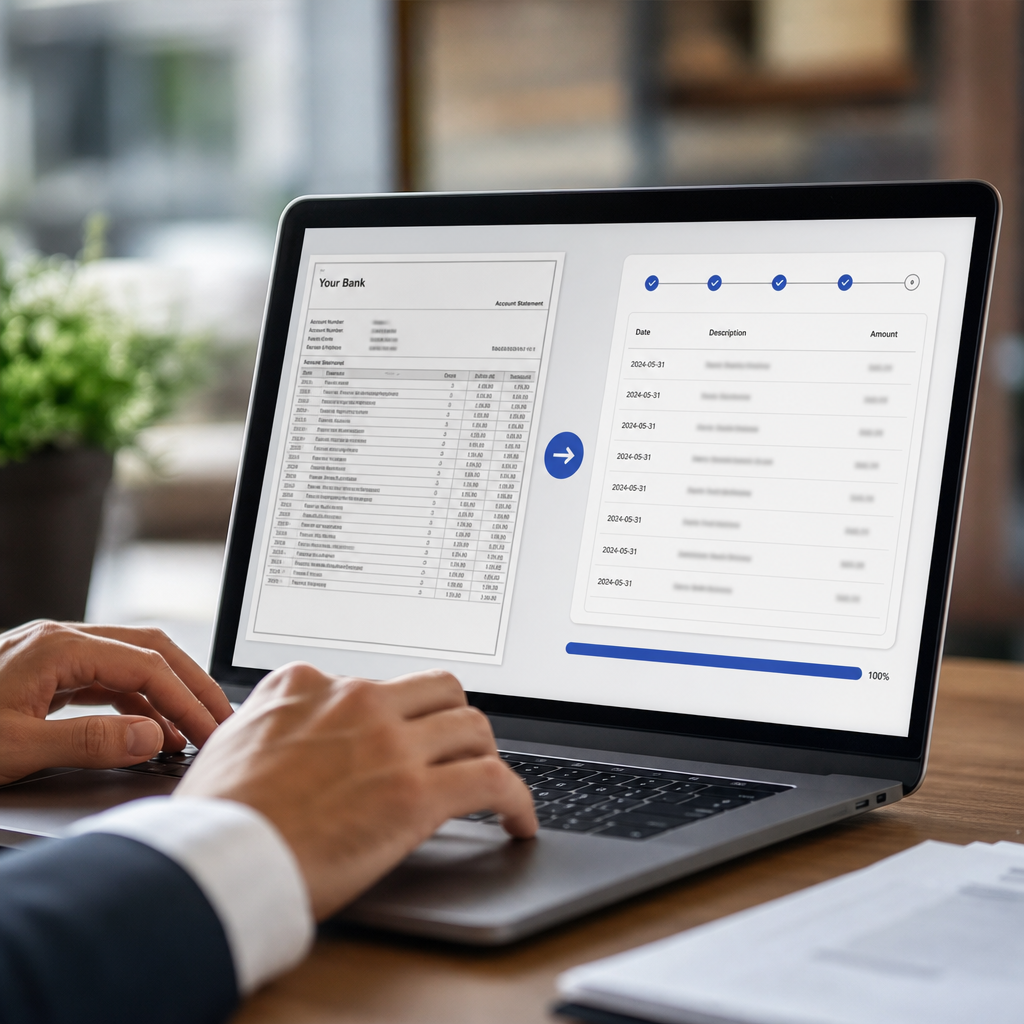
Bank Statement Boss addresses each of these by combining AI-based parsing with pre-built export templates tailored to the accounting platforms bookkeepers already use, reducing the manual reformatting that eats into billable hours.
A Practical Checklist for Evaluating Vendors
Before adopting any conversion tool for client work, run it through a structured evaluation. Below is a checklist accountants can use during vendor selection or annual security reviews.
- Does the vendor publish a clear privacy policy detailing data use and third-party sharing?
- Is encryption applied both in transit and at rest, with the specific standards named?
- Can you delete uploaded files immediately after processing, and is deletion permanent?
- Does the company disclose whether it uses subcontractors or offshore teams for any part of processing?
- Is there a documented incident response process in case of a data breach?
- Does the tool support single sign-on or multi-factor authentication for team accounts?
- Is there an audit trail showing who uploaded, viewed, or exported each file?
- Does the vendor undergo any third-party security assessment, even informally?
Running through this list with any prospective vendor, including Bank Statement Boss, gives firms a defensible record that they performed due diligence before entrusting client data to a third party — something that matters if a client or regulator ever asks how sensitive documents were handled.
Compliance Considerations for Accounting Firms
Accounting and bookkeeping firms operate under a patchwork of obligations depending on jurisdiction, client type, and the nature of the data involved. While not every firm is directly regulated under banking law, several frameworks are relevant to how client financial documents should be handled:
| Regulation or Standard | Relevance to Statement Conversion | Applies To |
|---|---|---|
| GLBA Safeguards Rule | Requires safeguarding of nonpublic financial information | Firms handling client financial data on behalf of covered entities |
| State data breach notification laws | Requires disclosure if personal financial data is exposed | Nearly all US-based firms |
| GDPR (for EU clients) | Governs processing of personal data, including financial records | Firms serving EU-based clients |
| AICPA data security guidance | Best-practice framework for CPA firms | US-based accounting practices |
Firms serving clients across state or national lines should treat the strictest applicable standard as their baseline. The AICPA's Cybersecurity Resource Center offers useful guidance for practices building or refining an internal data handling policy, which should explicitly reference how third-party tools like statement converters fit into the firm's broader security posture.
How Automation Changes the Risk Calculus
It's worth addressing a common misconception: that manual processes are inherently safer than automated ones because a human is "in control." In practice, manual data entry introduces more risk, not less.
Consider a typical manual workflow: a bookkeeper downloads a client's PDF statement, emails it to a data entry contractor, waits for a spreadsheet back, then manually checks it against the original. This process multiplies the number of places sensitive data sits — inboxes, downloads folders, contractor systems — each an additional point of potential exposure. It's also slower and more prone to transcription errors than automated parsing.
By contrast, a secure automated converter processes the file within a controlled environment, applies consistent parsing logic, and can delete the source file immediately after conversion. The workflow becomes shorter, more auditable, and less dependent on trusting an individual contractor's judgment or diligence.
This is precisely the gap tools like Bank Statement Boss are designed to close: replacing a scattered manual process with a single, encrypted, automated pipeline that outputs accounting-ready spreadsheets without the data ever needing to pass through a third-party human reviewer.

API Access and Enterprise-Grade Security for Growing Firms
Larger bookkeeping practices and finance teams that process high volumes of statements often need more than a simple upload-and-download tool. API access allows statement conversion to be built directly into existing practice management or accounting systems, reducing manual handling even further.
When evaluating API-based conversion for higher-tier plans, ask vendors about:
- Authentication method — API keys should be rotatable and scoped to specific permissions rather than granting blanket account access.
- Rate limiting and logging — Ensures visibility into how the API is being used and helps detect anomalous activity.
- Data residency options — Some firms, particularly those serving regulated industries, need assurance about which country or region processes and stores their data.
- Uptime and support SLAs — For firms relying on automated pipelines during month-end close, downtime has real cost.
Enterprise-tier plans that combine strong encryption, granular API permissions, and dedicated support tend to justify their higher price point for firms processing hundreds or thousands of statements monthly, where the cost of a security incident would far outweigh subscription fees.
Weighing Cost Against Risk
It's tempting to default to free tools, especially for solo bookkeepers or small practices watching overhead closely. But the true cost comparison isn't just subscription price versus free — it's the cost of a potential data incident versus a modest monthly fee.
| Factor | Free/Generic Tools | Paid, Purpose-Built Converters |
|---|---|---|
| Upfront cost | $0 | Monthly or per-document fee |
| Data security guarantees | Minimal or undocumented | Documented encryption, retention policy |
| Client trust impact | Higher risk if breach occurs | Lower risk, demonstrable diligence |
| Time saved on formatting | Often requires manual cleanup | Pre-built templates for major platforms |
| Support and accountability | Limited or none | Vendor support and documented processes |
For a firm managing even a modest client roster, the reputational and financial risk of a data exposure event dwarfs the cost of a secure, purpose-built subscription. This is one of the clearest arguments for treating statement conversion tools as a security decision first and a productivity tool second.
Building an Internal Policy Around Statement Conversion Tools
Beyond choosing the right vendor, firms should formalize how conversion tools fit into their internal data handling policy. A few practical steps:
- Document approved tools. Maintain a list of vendor-approved software for statement conversion, and require staff to use only those tools for client documents.
- Set retention rules. Define how long converted files and original PDFs are kept on internal systems, separate from the vendor's own retention policy.
- Train staff on secure handling. Ensure team members understand not to email raw statements to personal accounts or unapproved third-party tools.
- Review vendor security annually. Security practices change; revisit vendor documentation and compliance status at least once a year.
- Include clients in the conversation. For firms serving clients with heightened sensitivity around data (legal, healthcare, financial services clients), disclose which tools are used to process their statements and offer to answer security questions directly.
Formalizing these practices not only reduces risk but also becomes a selling point when pitching new clients who increasingly ask about data handling as part of their vendor selection process.
Final Thoughts on Choosing a Secure Converter
Choosing a secure bank statement converter for accountants isn't just about finding a tool that saves time on data entry — it's about selecting a partner that treats client financial data with the same seriousness your firm does. Encryption, clear retention policies, automated processing free of manual human review, and transparent compliance documentation should all factor into the decision alongside accuracy and format compatibility.
Bank Statement Boss was built with these priorities in mind, combining AI-powered parsing with secure data handling and export formatting for QuickBooks, Xero, and Sage, so accounting professionals can digitize client statements quickly without compromising on the security their clients expect. For firms ready to move away from manual entry or unverified free tools, evaluating a purpose-built, security-conscious platform is a practical next step toward faster, safer month-end close cycles.
Article written by FrontRank