

Bookkeepers juggle dozens of moving parts every week: client transactions, reconciliations, tax prep deadlines, and an endless stream of PDF statements that refuse to cooperate with spreadsheet software. Choosing the right technology stack can mean the difference between billing for value-added advisory work and spending Friday nights manually retyping numbers from a bank statement. This article breaks down the best software for bookkeepers small business owners and independent professionals should consider in 2026, with a particular focus on the often-overlooked category of document conversion tools that sit at the foundation of clean books.
Why Software Choice Matters More Than Ever for Bookkeepers
The bookkeeping profession has changed dramatically over the past decade. Clients expect near real-time visibility into their finances, tax authorities demand more digital recordkeeping, and competition from automated platforms means bookkeepers must justify their fees with efficiency and accuracy. According to the U.S. Bureau of Labor Statistics, demand for bookkeeping and accounting support roles remains steady, but the nature of the work is shifting toward higher-value analysis rather than manual data entry.
That shift is only possible when the repetitive, error-prone parts of the job are automated. Software that handles data capture, reconciliation, and reporting frees up hours that bookkeepers can redirect toward client advisory services, which is where the real revenue growth happens. Firms that fail to modernize risk falling behind competitors who can onboard clients faster and deliver reports in a fraction of the time.
Core Categories of Bookkeeping Software
Before comparing specific products, it helps to understand the distinct categories that make up a bookkeeper's software stack. Most professionals need tools from each category, since no single platform does everything well.
- General ledger and accounting platforms – QuickBooks, Xero, and Sage form the backbone of most small business books.
- Bank statement and document conversion tools – These extract transaction data from PDFs and scanned statements so it can be imported cleanly into accounting software.
- Receipt and expense management apps – Tools like Dext and Hubdoc capture receipts and categorize spending.
- Practice management software – Platforms such as Karbon or Financial Cents help bookkeepers manage client workflows and deadlines.
- Payroll and tax compliance software – Gusto and similar platforms handle payroll runs and filings.
A well-rounded bookkeeper doesn't rely on just one tool. Instead, they build a stack where each piece feeds data into the next, minimizing manual re-entry at every stage.
The Overlooked Bottleneck: Converting Bank Statements
Ask any bookkeeper where their time actually goes, and many will point to the same frustrating task: converting PDF bank and credit card statements into usable spreadsheet data. Banks rarely offer clean CSV exports for older statements, and clients often hand over scanned or downloaded PDFs that don't align with any accounting software's import format. Manually retyping transactions is slow, and it introduces the risk of transposition errors that can snowball into reconciliation headaches weeks later.
This is precisely the gap that Bank Statement Boss was built to close. Instead of spending hours copying numbers by hand, bookkeepers can upload a PDF statement and receive a structured spreadsheet formatted for direct import into QuickBooks, Xero, or Sage within minutes. For firms handling multiple clients, this single workflow improvement can reclaim entire days each month.
Bank Statement Boss uses AI-powered extraction to read line items, dates, descriptions, and amounts, then organizes them into clean rows and columns that match the formatting accounting platforms expect. It also offers secure data handling practices, which matters given that bank statements contain sensitive financial information, and API access on higher-tier plans for firms that want to build statement conversion directly into their own internal tools or client portals.
Comparing the Best Software for Bookkeepers Small Business Owners Use
The table below compares some of the most commonly used tools across categories relevant to small business bookkeeping. This isn't an exhaustive list, but it represents the tools bookkeepers most frequently mention when discussing their day-to-day stack.
| Software | Category | Best For | Notable Strength |
|---|---|---|---|
| QuickBooks Online | General ledger | Small businesses and solo bookkeepers | Wide adoption, strong integration ecosystem |
| Xero | General ledger | Growing businesses with multiple users | Clean UI, strong bank feed support |
| Sage Business Cloud | General ledger | Businesses needing robust reporting | Scalable for larger small businesses |
| Bank Statement Boss | Document conversion | Bookkeepers handling PDF statements | AI-based PDF-to-spreadsheet conversion with API access |
| Dext | Receipt/expense capture | Automating expense categorization | Strong OCR for receipts |
| Financial Cents | Practice management | Firms managing multiple clients | Task tracking, deadline reminders |
For a deeper dive into platform-specific pricing and plans, resources like Capterra and G2 maintain updated comparisons based on verified user reviews.
Key Features to Evaluate Before You Buy
Not every bookkeeping tool fits every practice. When evaluating software, consider these criteria carefully rather than choosing based on brand recognition alone.
- Accuracy of data extraction – If a tool claims to automate data entry, test it against real statements first. Look for accuracy rates above 95% on standard formats.
- Compatibility with your accounting platform – Confirm the software exports in a format your general ledger accepts without manual reformatting.
- Security and compliance – Bookkeepers handle sensitive financial data, so encryption standards and data retention policies matter. The Federal Trade Commission offers baseline guidance on what businesses should expect from vendors handling financial data.
- Scalability – A tool that works for five clients should also work smoothly at fifty, ideally with bulk processing or batch upload capability.
- Customer support responsiveness – When a statement fails to convert correctly, how quickly can you get help?
- Pricing transparency – Avoid platforms with hidden per-page or per-transaction fees that balloon as your client list grows.
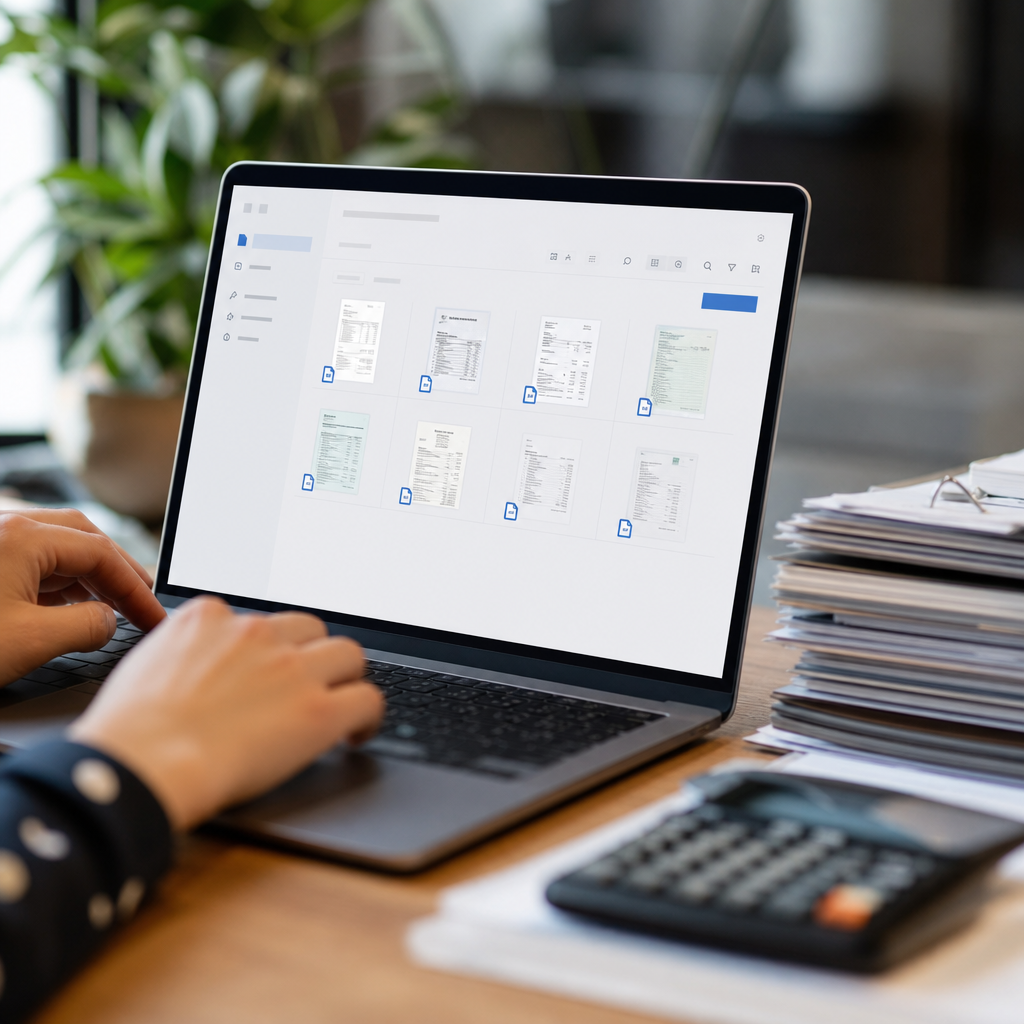
How Bank Statement Boss Fits Into a Bookkeeper's Workflow
Consider a typical scenario: a bookkeeper onboards a new small business client who hands over eighteen months of bank statements as PDF downloads. Historically, this meant either manually entering hundreds of transactions or outsourcing the data entry to a third party, both of which take time and cost money.
With Bank Statement Boss, the bookkeeper can upload the batch of PDFs directly and receive structured spreadsheets within minutes, already formatted to match the import requirements of the client's accounting platform. This doesn't replace the bookkeeper's judgment or reconciliation work, but it eliminates the most tedious and error-prone step in the process.
The practical benefits show up quickly:
- Time savings – What used to take hours per client now takes minutes.
- Reduced error rates – Automated extraction reduces the transposition mistakes common in manual entry.
- Faster client onboarding – New clients with messy historical records can be caught up on their books much faster.
- Scalable operations – Firms can take on more clients without proportionally increasing headcount.
- API integration – Higher-tier plans allow firms to connect statement conversion directly into their existing practice management or client portal systems.
This kind of automation aligns with a broader trend the Journal of Accountancy has covered extensively: firms that adopt automation tools for repetitive tasks report higher client retention and more time available for advisory services.
Comparing Document Conversion Tools Specifically
Since bank statement conversion is often the most time-consuming part of bookkeeping setup, it deserves its own closer comparison. Below is a breakdown of the features bookkeepers should weigh when selecting a PDF-to-spreadsheet solution.
| Feature | Manual Entry | Generic OCR Tools | Bank Statement Boss |
|---|---|---|---|
| Speed per statement | 30-60 minutes | 10-20 minutes | Under 5 minutes |
| Accounting software formatting | None (manual reformatting needed) | Partial | Built-in for QuickBooks, Xero, Sage |
| Error rate | Higher (human error) | Variable | Low, AI-trained on statement formats |
| Bulk processing | Not practical | Limited | Supported |
| API access | No | Rarely | Available on higher-tier plans |
| Security handling | Depends on process | Varies by vendor | Secure data handling built in |
This comparison illustrates why more bookkeeping professionals are shifting away from generic optical character recognition tools, which were originally designed for general document scanning rather than the specific structure of bank and credit card statements. Purpose-built tools tend to produce cleaner, more consistent output because they're trained specifically on financial document layouts.
Integrating Software Choices Into a Broader Client Acquisition Strategy
Having the right back-office tools is only half the equation. Bookkeepers also need a steady pipeline of clients to sustain and grow their practice. Marketing and lead generation platforms like leadmailbox.com can help bookkeeping firms build consistent outreach systems, ensuring that the efficiency gains from better software translate into actual business growth rather than just extra free time.
Similarly, firms investing in content marketing or search visibility often turn to specialized agencies. frontrank.com focuses on helping service-based businesses, including financial and accounting firms, improve their organic search presence so that potential clients can find them in the first place. Pairing strong back-office automation with smart marketing creates a compounding effect: more efficient service delivery combined with more consistent client inflow.

Common Mistakes Bookkeepers Make When Choosing Software
Even experienced professionals sometimes choose tools that don't serve them well long-term. Watch for these pitfalls:
- Choosing based on price alone – The cheapest tool often lacks the accuracy or support needed for professional use, costing more in corrected errors down the line.
- Ignoring integration requirements – A tool that doesn't export in a format compatible with your general ledger software creates more work, not less.
- Overlooking security practices – Financial data requires careful handling; always review a vendor's data retention and encryption policies before uploading client statements.
- Failing to test with real documents – Demo data rarely reflects the messiness of real-world statements. Always run a trial with actual client documents before committing.
- Underestimating the learning curve – Some platforms require significant setup time. Factor this into your evaluation, especially during busy tax season.
Avoiding these mistakes often comes down to running small pilot tests before fully committing to a platform, particularly for tools that will touch sensitive financial data across multiple clients.
Building a Modern, Efficient Bookkeeping Tech Stack
Rather than thinking about software purchases individually, it helps to think in terms of a complete workflow. A modern bookkeeping tech stack for a small business-focused practice might look like this:
- Intake – Clients upload bank statements, receipts, and invoices through a secure portal.
- Conversion – PDF bank statements are processed through a tool like Bank Statement Boss to produce clean, structured spreadsheets ready for import.
- Ledger entry – Converted data is imported into QuickBooks, Xero, or Sage for categorization and reconciliation.
- Review and advisory – The bookkeeper reviews flagged transactions, prepares reports, and meets with the client to discuss financial health.
- Client communication and growth – Practice management tools keep deadlines on track, while marketing platforms maintain a steady flow of new client leads.
When each stage of this workflow is handled by purpose-built software rather than generic, catch-all tools, the entire process becomes faster and less error-prone. Bookkeepers who build this kind of stack typically report being able to take on more clients without sacrificing quality or working unsustainable hours.
Final Thoughts on Choosing the Right Tools
There is no single piece of software that solves every challenge a bookkeeper faces, but a thoughtful combination of general ledger platforms, document conversion tools, and practice management systems can transform a practice's efficiency. The biggest gains often come from automating the parts of the job that add the least value per hour, like manually transcribing bank statement data, so that more time can go toward the analysis and advisory work that actually grows client relationships and firm revenue.
For bookkeepers and small business finance teams looking to eliminate one of the most tedious parts of the job, Bank Statement Boss offers a fast, accurate, and secure way to convert PDF bank and credit card statements into spreadsheets ready for QuickBooks, Xero, or Sage. By removing the bottleneck of manual data entry, it allows bookkeeping professionals to spend their time where it matters most: delivering accurate, timely financial insight to the clients who depend on them.
Article written by FrontRank